

Learn how to take advantage of local SMS marketing for small businesses.
Small businesses can’t outperform large online shops or work with mega influencers to advertise their products/services.
They have to focus on local growth before thinking of nationwide or international growth. The question is how they can reach out to local people to increase their sales and build a community of customers.
That’s where SMS marketing comes in. SMS allows SMBs to automatically send promotional and transactional messages to keep customers engaged and provide customer service.
Instead of waiting for customers to stop by your store, you can send a message with an enticing offer to prevent them from going to other stores.
In this blog post, we’ll explain how you can automate local SMS marketing campaigns without programming or spending too much.
What Is Local SMS Marketing?
Local SMS marketing is about laser-targeting local customers and sending relevant messages to promote your products, services, or events.
It’s a bit different from traditional SMS marketing because it’s geo-targeted. Also, local messaging is usually community-driven to build relationships with the people living in your vicinity.
In local SMS marketing campaigns, personalization and relevance are much more important than the number of messages. Remember that generic promos at a large scale might improve your reach, but in local messaging, you have to speak directly to your neighborhood.
To understand the purpose of local SMS marketing for SMBs, look at the following examples:
- If you have a café, you can text customers about a “Buy One, Get One” latte deal.
- A salon can use SMS to remind clients of an upcoming appointment or even send a promotional offer with a discount.
So, SMBs can take advantage of local messaging to outperform their competitors in their vicinity and then think of expanding their businesses.
Why Small Businesses Need SMS Marketing?
Let’s be honest: you can’t compete online with global brands. Their ad budgets are more than your business size, and their SEO rankings dominate your performance.
So, what to do? Fortunately, SMS marketing can be a game-changer.
Texting is the most direct and personal communication channel and feels intimate. An important matter about SMS is that when customers receive a message from your business, it lands in the same space where they talk to family and friends. That creates a sense of trust and immediacy that no banner ad can match.
Compared to email or social ads, texts feel more human, and the engagement is nearly instant.
Also, customers read texts quickly, and the response rate is much higher compared to emails. Another important aspect of SMS marketing is that it can act on impulse. For small businesses, that means faster interaction and a higher ROI.
Build A Strategy for Local SMS Campaigns: Step-by-Step Guide
Now, let’s see how you can run a local SMS campaign. You need a strong strategy to maximize your campaign’s efficiency and reach a high ROI.
Here is how:
Step 1: Define SMART Goals
You can’t start sending messages to people without knowing what you want to achieve. Defining your objectives is an essential step in your local SMS marketing strategy.
Your goals must be:
- Specific
- Measurable
- Achievable
- Relevant
- Time-bound
Your goals give the campaigns direction and purpose, and let you track the performance of your investment.
For example, you can define something like: Increase weekday orders by 15% within 60 days.” This clear target gives you focus, and after 60 days, you can see if your effort has been successful.
Step 2: Buy a Package from a Valid SMS Gateway
An SMS gateway connects your system to mobile carriers. So, when you want to run an SMS campaign, you need a reliable SMS gateway to make sure your messages are delivered correctly to your recipients’ mobile phones.
There are numerous SMS providers with different coverage, features, and deliverability rates.
As a local small business owner, you can choose a reputable provider in your region that offers high deliverability at an affordable price.
If you’re planning to expand your business and target international customers, you can go for an international SMS gateway.
Step 3: Choose an SMS Platform
Now, you have to integrate the SMS gateway with your system, whether it’s a website or an application. Integrating SMS APIs into your current systems requires expertise and is unaffordable for SMBs.
So, what to do? You can use an SMS platform like WP SMS that connects your system with the SMS gateway.
Using this SMS plugin, you can easily configure the SMS gateway on your WordPress website without programming knowledge.
It offers lots of features for running promotional and transactional SMS campaigns directly from your WordPress dashboard.
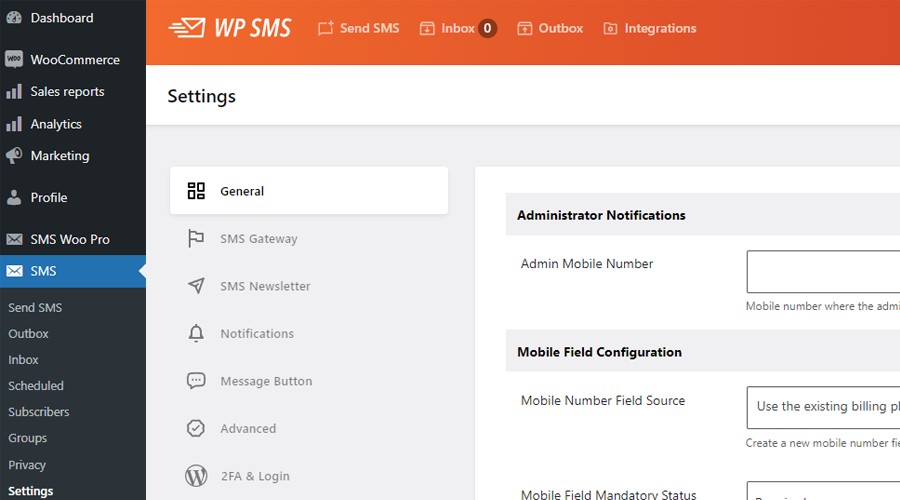
Here are some of these features:
- Automation
- Scheduling
- Dynamic content
- Segmentation
- 2FA
- Two-way messaging
- Bulk messaging
- Newsletter subscription
Step 4: Add a Targeted Contact List to Your SMS Platform
You can’t simply send your messages to everyone. You have to target people who are highly likely to interact with your business or buy your products/services. So, you have to recognize your audience and create a targeted contact list.
Another important matter is that you need to have the recipient’s permission before sending promotional messages.
You can get their consent through opt-in campaigns. You can use several methods to get consent from your target audiences:
- Forms on your home page
- Ticks on checkout pages
- QR codes
- Paper sign-up sheets in your store
Try to be transparent at the opt-in stage to gain the trust of your audience. Tell customers exactly why you’re getting their phone numbers.
Moreover, you’d better segment your subscribers so that you can send customized messages.
You can group contacts by important factors, like location, purchase history, or engagement level. This helps you run a geo-targeted SMS campaign and reach out to local people for events and time-sensitive campaigns rather than all subscribers.
Step 5: Add Integrations
Apart from the built-in features on WP SMS, you can add several useful integrations and add-ons to have more functionalities on your SMS platform.
WP SMS can integrate with WooCommerce, GravityForms, Contact Form 7, Elementor, and many other tools. You have to choose these tools based on your requirements to create a smart ecosystem for communication.
For example, if you’re running an online shop, you can use WooCommerce to send automated order updates, payment confirmations, etc.
Step 6: Define Triggers for Automation
When you want to run a bulk SMS campaign, you can’t do the job manually. Thanks to SMS tools like WP SMS, you can automate SMS messages with minimal intervention.
It allows you to define key actions or events on your site that trigger the tool to send specific messages.
Here are some examples:
- A customer makes a purchase: Your SMS tool sends a thank-you text.
- The status of an order changes: The SMS tool sends an order status update.
- An appointment is scheduled: The SMS platform sends a reminder 24 hours before.
Just assume that you want to send these messages manually. SMS automation will save you time and money and reduce mistakes and delays.
To do that, you can activate each trigger you want on WP SMS and consider an SMS template for it.
Step 7: Create Personalized SMS Templates
Now, it’s time to prepare templates for each trigger. The good news is that WP SMS allows you to include dynamic items in the template to customize it.
Each dynamic item will be replaced with a personal detail from the recipient to make the message more personal.
For example, you can use items like %first_name% and %date%. This way, the recipient feels that you’ve written the message specifically for them. Remember that personalization makes your campaign humanized and increases engagement rates.
Step 8: Test, Run, and Optimize
Before sending your messages to your audiences, you have to test the platform. You have to make sure that the messages are delivered with the correct format.
Also, after running your campaign, you should not stop. You have to collect data from the results and try to improve your strategy accordingly.
Tips for a Successful SMS Campaign for SMB Growth
Here are the local SMS campaigns’ best practices to reach a high ROI:
- Keep Messages Short: It’s good to keep your messages under 160 characters. This way, you don’t pay for two or more messages. Also, audiences are more likely to engage with shorter texts.
- Use A/B Tests: You can also use A/B testing to find the best version of your message in terms of time, content, CTA, etc.
- Send Feedback Requests: You can use SMS to ask your customers’ opinions about your products/services and also about your SMS campaigns.
- Provide Opt-Out: You have to let recipients unsubscribe. Respect their choice and apply their opt-out requests immediately. Otherwise, you might violate regulations like GDPR and TCPA and face legal fines.
- Make Your Text More Attractive: Use items like GIFs and emojis to make your text more attractive.
- Use URL Shorteners: WP SMS integrates with tools like Bit.ly to let you make your URLs shorter. So, the messages take up less space and look cleaner.
- Use Cross-Promotion: Don’t solely rely on SMS marketing. You can combine its capabilities with other channels like social media, email, and in-store events to maximize the results.
Examples of SMS Messages for Small Businesses
Now that you’ve learned how to run a local SMS campaign, it’s time to review some SMS samples to see what you have to write:
1. Retail Boutique: Limited-Time Offer
Imagine that you have a retail store and want to offer a limited-time discount. Here is a good SMS sample of this situation:
Message

Try to make it friendly while keeping the text polite. Also, use the urgency of SMS messages to create a sense of FOMO to encourage recipients to purchase immediately.
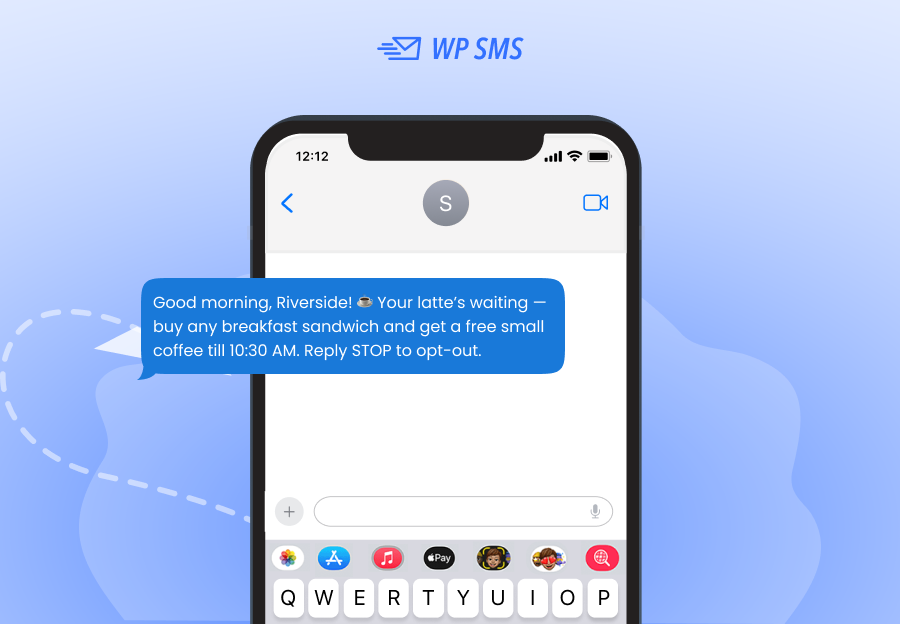
2. Local Café: Daily Special
You might think that a cafe doesn’t need SMS because anyone who needs a cup of coffee will come.
However, you’re making a mistake; you can encourage many customers to come using a small perk or discount.
Here is how it works:
Message
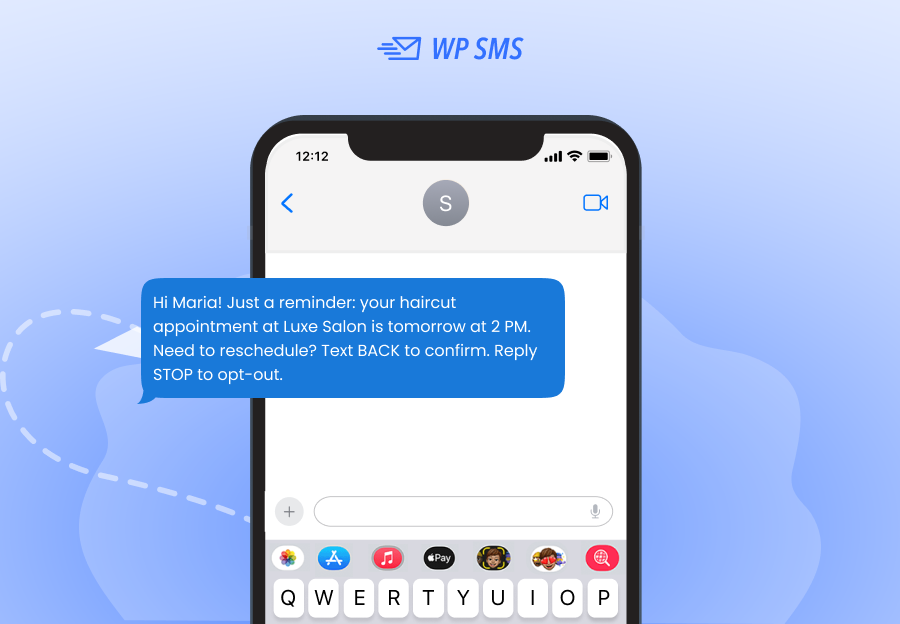
3. Salon or Spa: Appointment Reminder
If you’re running an appointment-based business like a salon, you can use SMS to send reminders.
Here is how:
Message
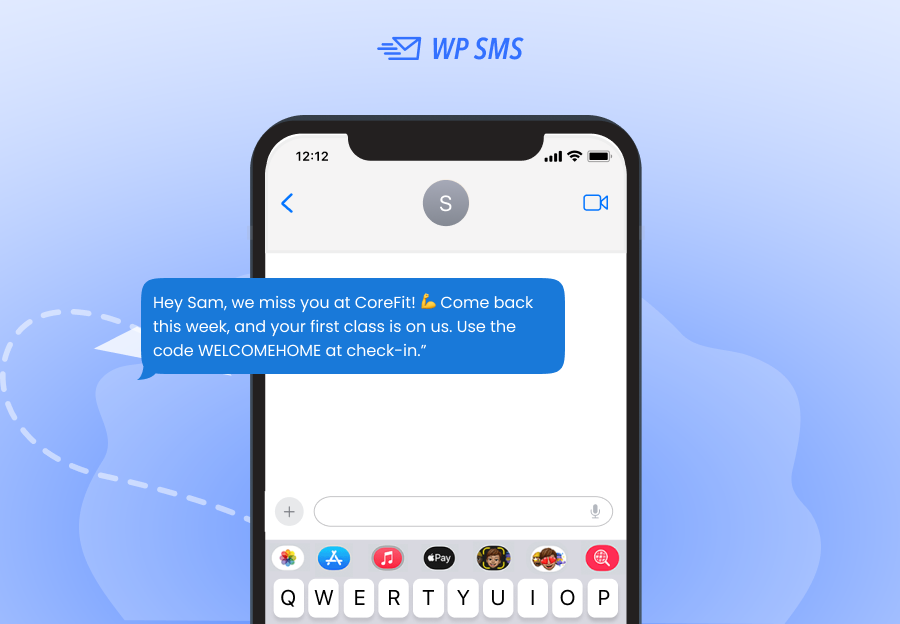
4. Fitness Studio: Win-Back Campaign
Many times, your customers might leave your business. You should not give up in this situation. You can use SMS to remind the customer that they’re part of your brand story.
Here is how:
Message
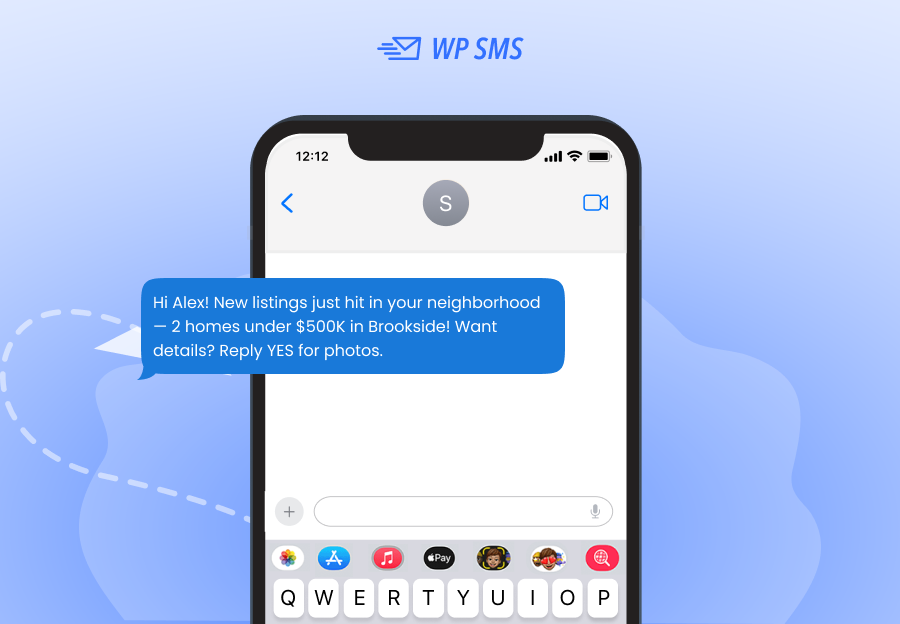
5. Real Estate Agent: Local Market Update
Last but not least, imagine you’re a realtor and want to keep customers updated about the listings in your region.
SMS is the best channel to do that:
Message
Conclusion
SMS marketing is one of the best channels for reaching out to local customers. You can use it to build a community of niche audiences and send promotional and transactional messages.
SMS automation tools like WP SMS allow you to define triggers for important actions to send personalized messages without manual intervention.
This way, you don’t need to learn programming or hire staff to manage communication. SMS marketing is one of the most affordable advertising methods for SMB growth.
So, why wait? Use the demo version of WP SMS and get familiar with its capabilities to use it for your small business.
FAQs
Is SMS 98% open rate?
Yes, SMS marketing has a high open rate because people receive them in the same inbox that their friends and family members send messages.
How to send 5000 SMS at once?
You can use an SMS platform like WP SMS to automate your bulk messaging campaign.
Is SMS marketing legal?
Yes! SMS marketing is legal if you get consent from recipients. Also, you have to provide an opt-out method so that customers can unsubscribe.