

Why do you need to run pre-order SMS campaigns?
One of the best ways to increase demand for your products and boost their sales is to alert customers before the products are available.
That’s why businesses usually use pre-orders and waitlists to manage their inventory more effectively. This is a great way to boost interest before launch day.
Of course, you need a fast, direct communication channel to make sure your audience gets updated about your product launch. SMS is the most direct, immediate, and personal channel and is a great choice for this purpose.
This post will show you how to use SMS to run pre-order SMS campaigns and manage your waitlist effectively.
Why Use SMS for Pre-Orders and Waitlists?
You might ask why you have to use SMS for pre-order alerts, while there are lots of newer channels like social media.
Here is the list of advantages of SMS over other channels:
Instant Delivery and Open Rates
As you know, there is a high probability that social media users do not see your posts in crowded feeds. Many emails also remain unopened.
On the other hand, SMS has a 98% open rate, which means you can be sure that most people will open and read your message. Moreover, the majority of them read their messages within minutes and are more likely to respond to a text than an email or a social post.
The reason is that SMS feels more personal and direct, which helps you gain more clicks and conversions. So, SMS is perfect for urgent updates, like when you want to launch a product.
Customization
Social media updates are general, and you can’t customize them for specific audiences. SMS, on the other hand, can be customized for each recipient to include personal details.
This is really helpful in pre-order automation as you can segment your subscribers and send more relevant offers.
Smoother Customer Experience
People don’t like to check websites for updates. SMS can solve this problem by letting you send real-time confirmations, reminders, and text alerts for product launches. This brings peace of mind for them as they can be sure that they won’t lose anything.
Build a Strategy for Pre-Order SMS Campaigns & Waitlist Management
Sending an SMS is really easy, but succeeding in a pre-order SMS campaign is not. You need a strong strategy and creative ideas to generate hype and build trust.
Here is a step-by-step guide on building an SMS strategy for pre-order campaigns and waitlist management:
Step 1: Choose an SMS Gateway
An SMS gateway is a middle software between your computer and mobile networks around the world. Gateway providers usually give you APIs to let you implement messaging capabilities.
You must consider many factors when choosing a reliable provider to make sure your messages are delivered quickly and securely. The scale of your pre-order SMS campaigns is also important.
If you want to run your campaign within your country, a local SMS gateway provider is enough. Otherwise, you need to go for international SMS gateways like:
Step 2. Select an SMS Marketing Tool
Implementing SMS gateways on your system might be difficult and require extensive programming knowledge.
Fortunately, there are SMS tools that make this process much easier. For example, if you have a WordPress website, you can use SMS plugins like WP SMS to integrate the SMS API into your website without coding.
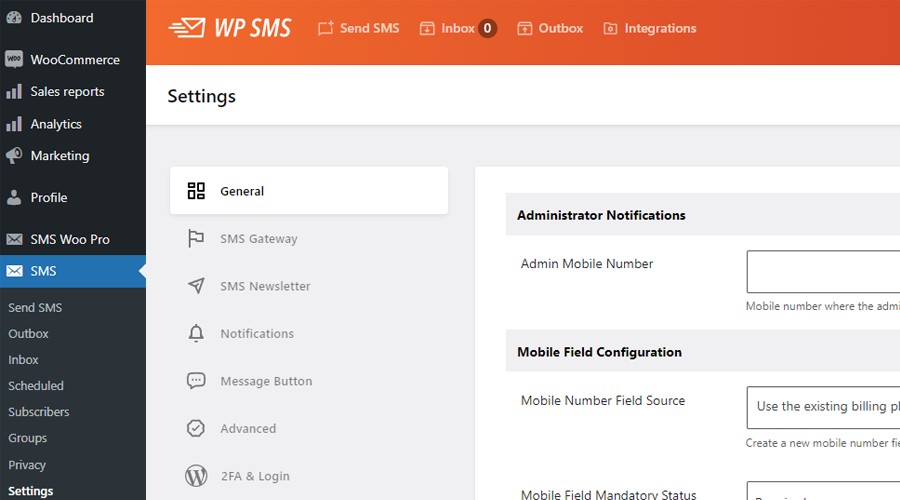
WP SMS offers easy integration with WooCommerce for eCommerce stores and provides lots of advanced features, like:
- Scheduling
- Automation
- Segmentation
- 2FA
- Custom SMS templates
- URL shortener
It’s a great option for businesses of all sizes as it supports 350+ SMS gateways and many add-ons.
Step 3. Collect SMS Opt-Ins the Right Way
Please bear in mind that you can’t send cold SMS messages for your pre-order campaigns. You need to get consent from your target audiences to stay compliant with regulations like TCPA and GDPR.
Here are some techniques to ask your audience to subscribe to your SMS list:
- Opt-in checkboxes: You can ask them during checkout or account registration.
- Shortcode forms: It’s good to capture phone numbers on landing pages.
- Integration with forms: Use add-ons like Gravity Forms, Contact Form 7, and other plugins.
It’s recommended to offer a perk like a discount or early access to those who subscribe. It’s also good to send a Thank-You message to subscribers to make a great first impression.
Step 4. Segment Your Subscribers
Although your subscribers are already interested in your products, you can’t offer all types of products to all of them.
Audience segmentation helps you send more targeted, relevant messages to your subscribers. WP SMS allows you to segment users and send specific SMS messages to each segment. You can segment the subscribers based on important factors like:
- Product interest
- Waitlist sign-ups
- Purchase behavior
- Location
- Gender
- Age
Step 5. Define Triggers to Automate Notifications
A key feature that WP SMS offers is automation, which helps you save time and send timely alerts. It lets you define automation triggers for various actions taken by users, like:
- New product availability
- Inventory updates (back in stock)
- Abandoned cart reminders
- Upcoming release countdowns
As WP SMS integrates with WooCommerce, it can send automatic texts when certain conditions happen on your online store.
For example, if a product is added to the pre-order list or becomes available again, it will automatically send SMS alerts.
Step 6. Schedule for Future Pre-order SMS Campaigns
You need to plan ahead for your upcoming launches and pre-order campaigns. You can do that by using the scheduling feature of WP SMS.
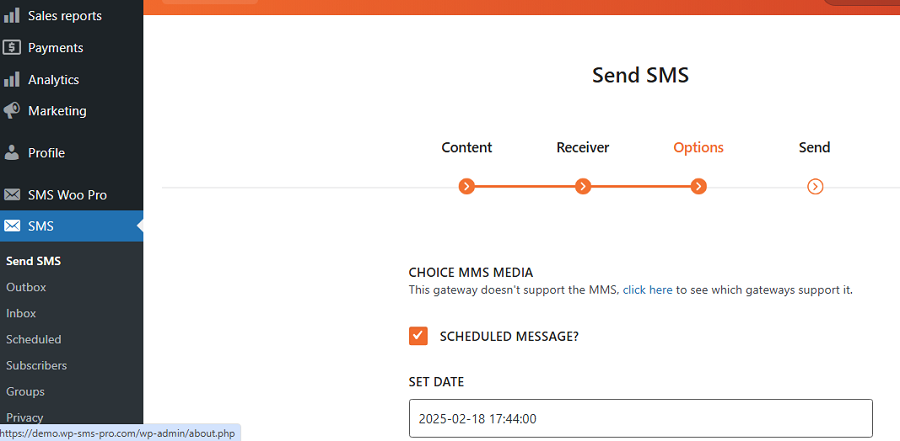
Try to schedule your pre-order campaigns for maximum visibility, like evenings or weekends. Additionally, you can build anticipation with a countdown or teaser texts.
Step 7. Create Compelling SMS Templates
Now, you must prepare a message template for each alert or reminder in your pre-order SMS campaign. Remember that your SMS content should be clear, concise, and action-driven.
WP SMS has a great dynamic content feature that lets you personalize your SMS with shortcodes and customer data, like first name and product name.
Try to keep the messages short and to the point. You must be polite and say the main goal of the message clearly.
Step 8. Test and Run Your Pre-order SMS Campaign
Now, you’re all set. Before launching your campaign, you must test everything, like:
- Links
- Format
- Size
Try to run internal tests or send it to a small group first. Then you can go live with confidence.
Successful Examples of Pre-Order SMS Messages
Now, let’s review some SMS samples to see how to write pre-order SMS alerts to make the most of them:
1. Pre-Order Launch Notification
When you want to launch a new product, SMS can help you boost its sales. Consider a pre-order notification SMS to let your subscribers become the first to pre-order:
Message
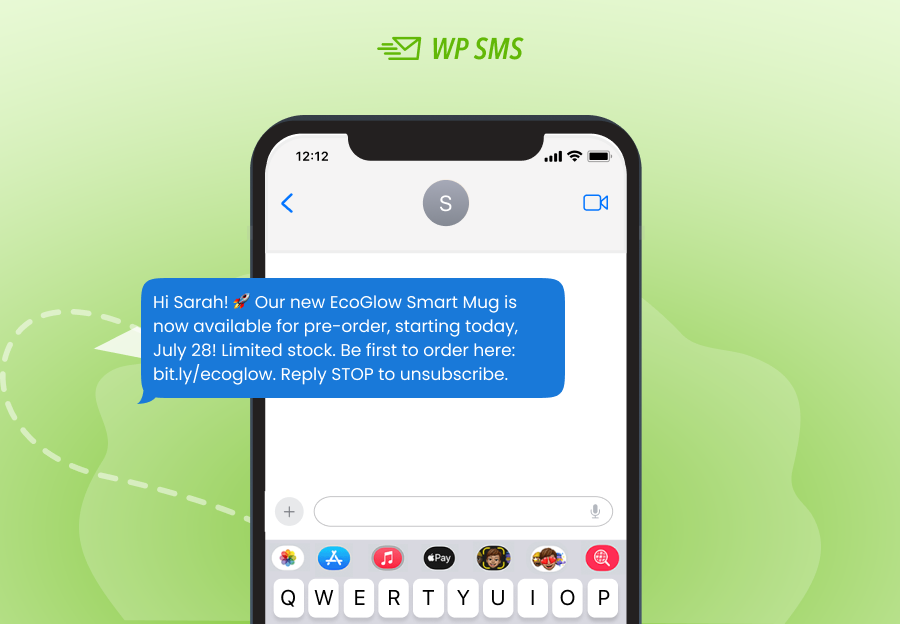
As you see, at the beginning of the message, the customer’s first name has been mentioned to personalize the SMS. This builds trust and increases conversion rates.
Additionally, you can see the urgency that encourages immediate action. This makes sense of FOMO, and your audience thinks they might lose something valuable.
Besides, there is a clear CTA with a shortened link to the product pre-order page, which simplifies the process for your customers.
2. Waitlist Confirmation
When a customer signs up to get a product update, send them a quick message. This way, you let them know it worked, and they feel confident that they’re on the list.
Here is an SMS sample:
Message
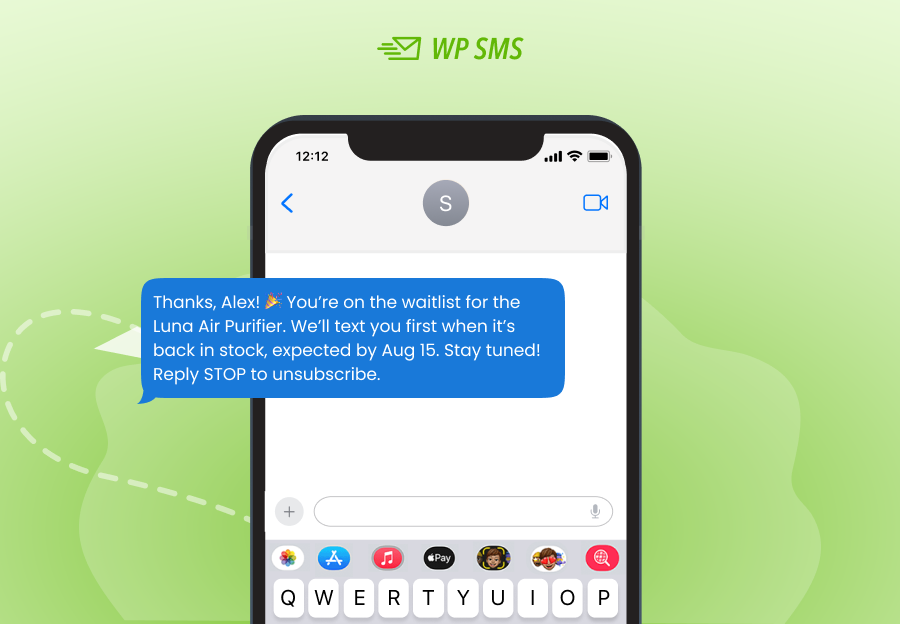
It’s also good to let customers know when the product will be available, even if it’s just an estimate. When you give an estimated time, you set clear expectations so customers don’t wait.
3. Back-in-Stock Alert
People like to feel VIP, and you can give it by sending them a timely back-in-stock alert like the following one:
Message
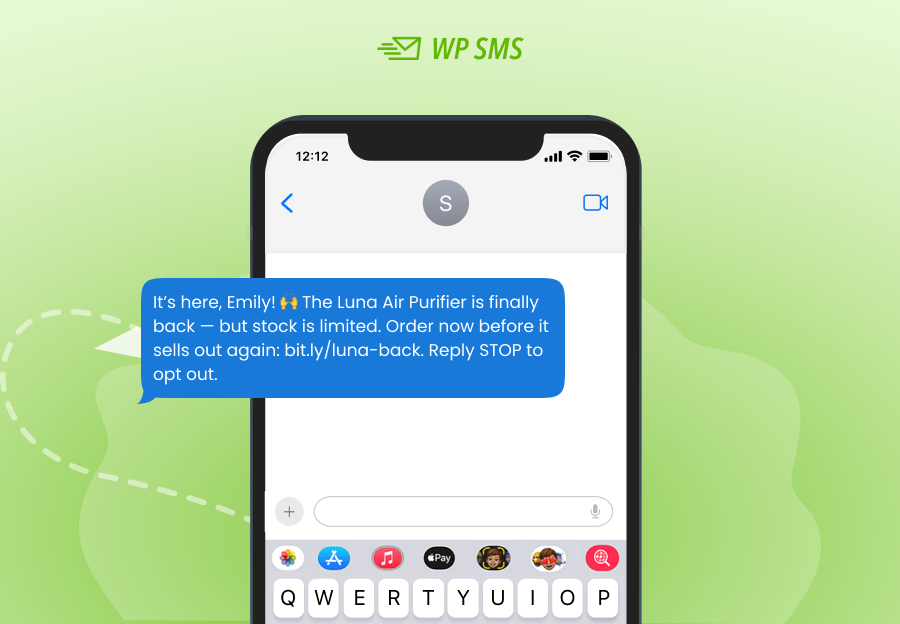
Try to make the customer feel excited as the product they like is back in stock. Again, you can create FOMO and a strong CTA to make them take immediate action.
4. Pre-Order Reminder
People receive lots of messages each day, and they might forget about the date and time of the pre-order. You can remind them of the time 24 hours beforehand using an SMS like this:
Message
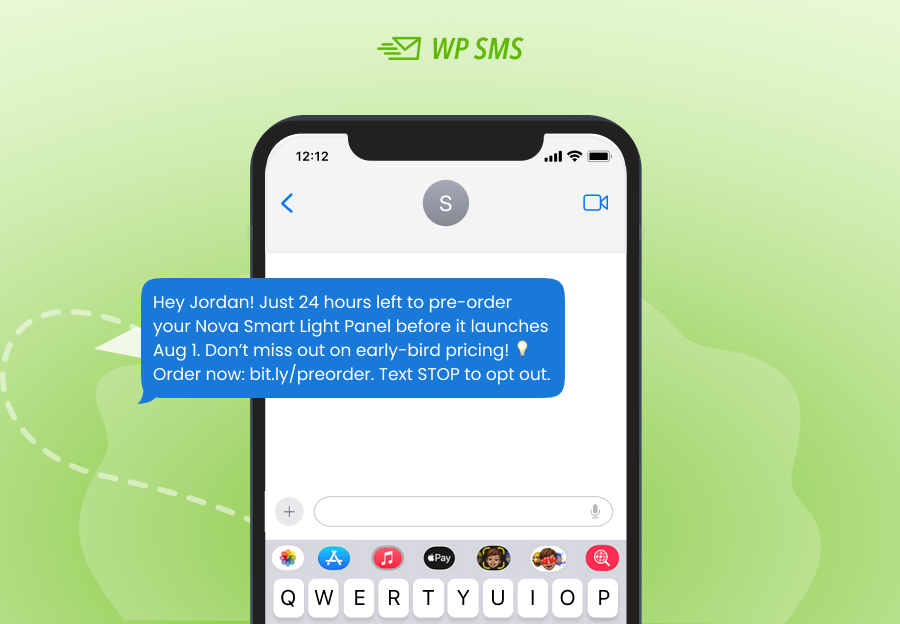
Of course, avoid pushing too hard for it as they might get annoyed and opt out of your SMS list or even report your messages as spam.
5. Personalized Follow-Up
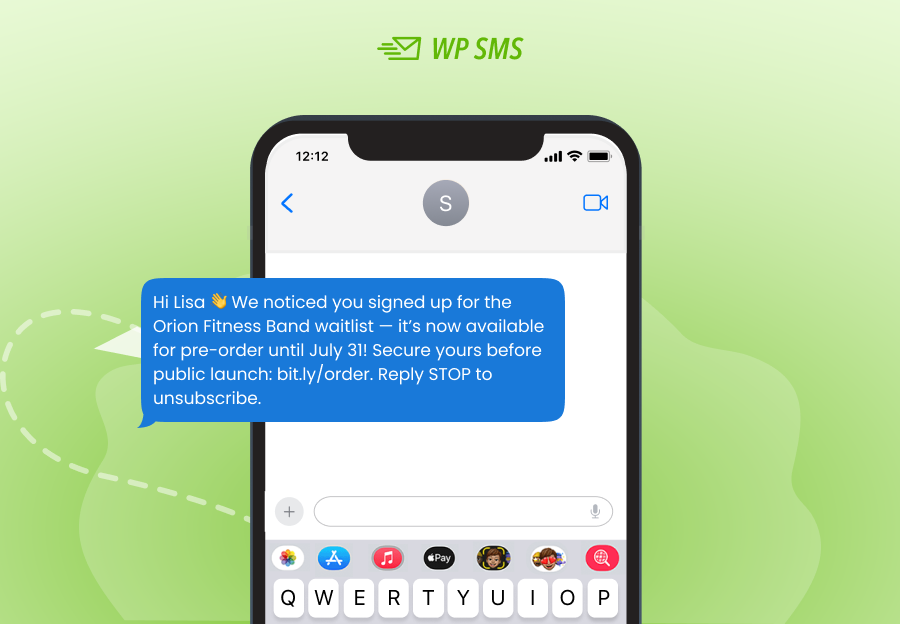
Your messages should be personalized, and the customer should feel you’ve written them specifically for them.
Try to include their past interactions, like previous waitlist signups, to offer new pre-orders like the following sample:
Message
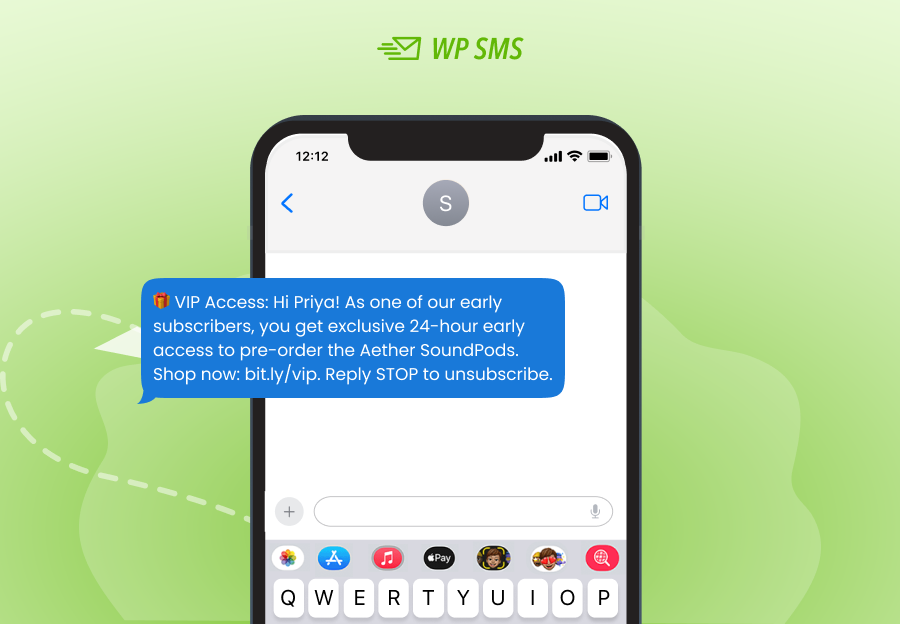
6. VIP Offer to Loyal Customers
You must send a different offer to your loyal customers to let them know they’re important to you.
For example, you can offer them early access to a new product or a pre-order to make them feel special.
The following SMS sample shows how to do that:
Message
7. Referral Message
Last but not least, you can offer extra perks to your waitlist customers in return for referrals. Remember that referral leads purchase 70% faster than normal ones. So, this is a great way to increase your sales.
Here is an SMS sample:
Message
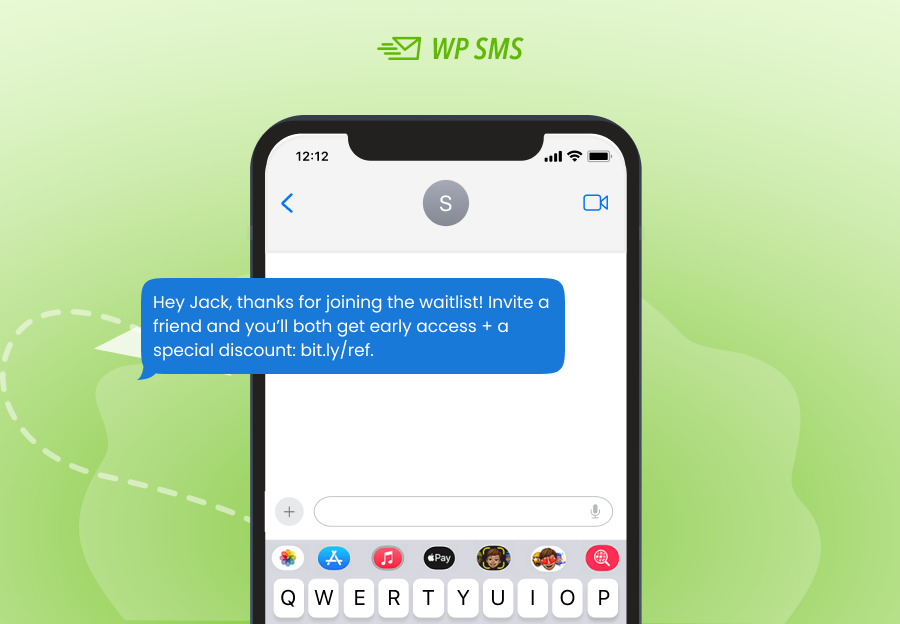
This message rewards your current subscribers and helps grow your waitlist.
Conclusion
One of the best ways to generate a sense of excitement about your new products is to send a pre-order SMS and invite people to sign up for it.
If you build a smart SMS strategy with a wise timing, you can boost your sales and increase customer loyalty.
Try to target potential customers and use an effective SMS tool like WP SMS to segment them to send relevant messages.
It’s essential to offer perks like discounts to encourage subscribers to participate in your pre-order campaigns.
Don’t forget your loyal customers and make sure they’re the first to know about the new product launches. Additionally, try to combine your SMS campaign with other channels, like social media, to target more people.
FAQs
What are pre-order SMS campaigns?
Pre-order SMS campaigns are text messages you send to potential customers to promote your upcoming products. This way, you can manage the early purchase of your products before you officially release them.
Is pre-order a good strategy?
Yes! It builds excitement about the product. Also, using pre-order campaigns and creating a waitlist, you can estimate demand. This helps you manage inventory more efficiently.
What’s the best SMS tool to automate pre-order campaigns?
WP SMS is one of the best SMS tools for automation and scheduling SMS campaigns, especially pre-order alerts.