

As a doctor, you can use timely appointment text messages to improve your healthcare center’s services.
You can send SMS to send confirmations, reminders, and post-visit instructions. Of course, if you want to communicate with numerous patients, you can’t handle SMS messages manually.
It’s essential to automate your SMS campaigns to increase the efficiency of your workflows. Thanks to advanced SMS automation tools, you can create dynamic SMS templates and send bulk personalized text messages without manual intervention.
In this article, we’re going to help you learn how to automate appointment reminders. We’ll also bring 10 successful doctor appointment text message samples to help you create your own SMS strategy.
Why Doctors Need SMS for Appointments
You might ask why doctors should use SMS while there are lots of other channels like phone calls, emails, social media channels, etc.
The most important reason is that phone calls, emails, and even social chats are often ignored. However, text messages have an open rate of 98%.
Also, SMS is a direct and personal channel, and patients feel more comfortable with healthcare SMS reminders compared to other channels. This makes SMS the most reliable way to reach patients.
Here are some other benefits of using SMS reminders in healthcare centers:
- Reduce no-shows: A short doctor visit reminder SMS helps patients remember their appointments.
- Save staff time: Many clinics are busy and need several front-desk staff. SMS reminders can help you solve this problem and get rid of endless phone calls.
- Enhance patient satisfaction: Patients like simple, direct updates.
- HIPAA-compliant SMS reminders: There are secure SMS tools that help you protect sensitive information while communicating.
- Shows professionalism: An automated SMS system improves your services and makes you different from traditional healthcare centers.
10 Doctor Appointment Text Message Samples
It’s good to review some of the most successful healthcare SMS samples to learn how to write an appointment reminder:
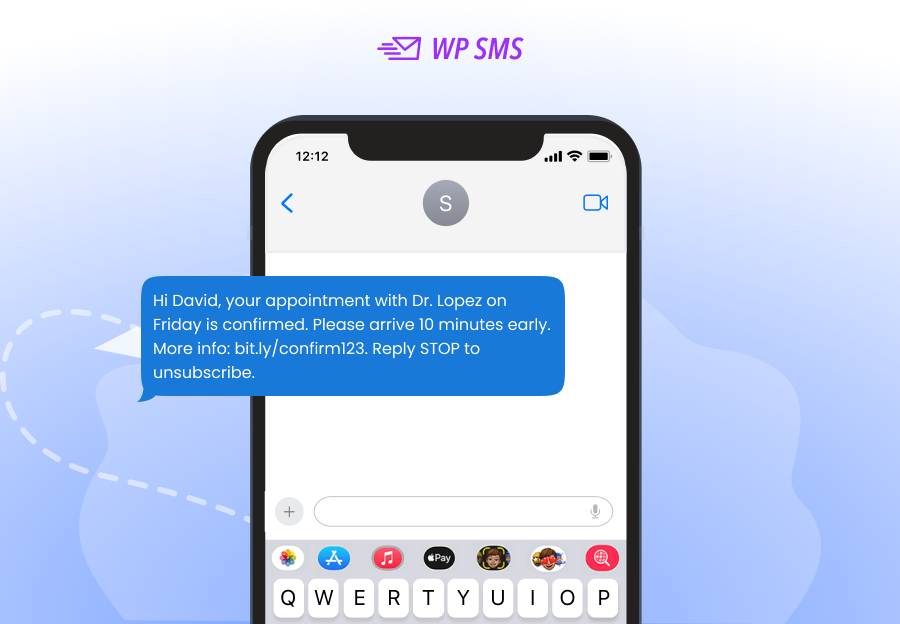
1. Doctor Appointment Confirmation SMS
First, you must reassure patients that their appointment has been successful. An automatic confirmation SMS after an appointment can work miracles. This will reduce administrative calls because your patients understand that you’ve listed their names.
Appointment confirmation text messages are particularly important when your patients use online booking services.
Here is a sample appointment confirmation SMS:
Message
2. Standard Reminder
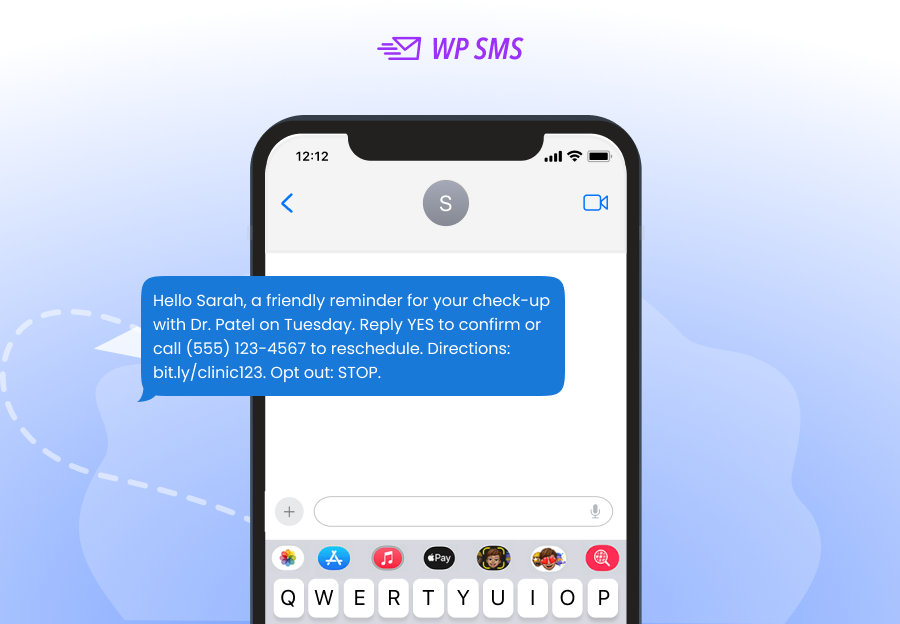
Sometimes, patients forget about the time of their appointments. You can send a medical appointment reminder message like the one below to prevent no-shows:
Message
3. Clinic Appointment Rescheduling Text Sample
Many times, clinics give their patients the chance to reschedule their appointments. This way, they can increase their satisfaction rate and make the patients loyal to their clinics.
SMS alerts are a great method to remind patients of this option because many of them might not check your website.
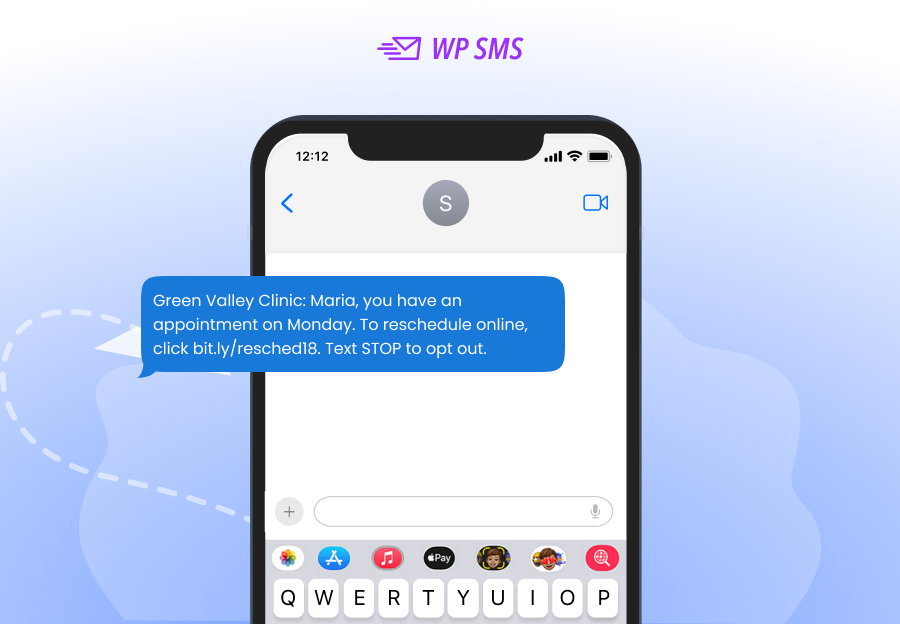
Look at the following sample appointment reschedule text message:
Message
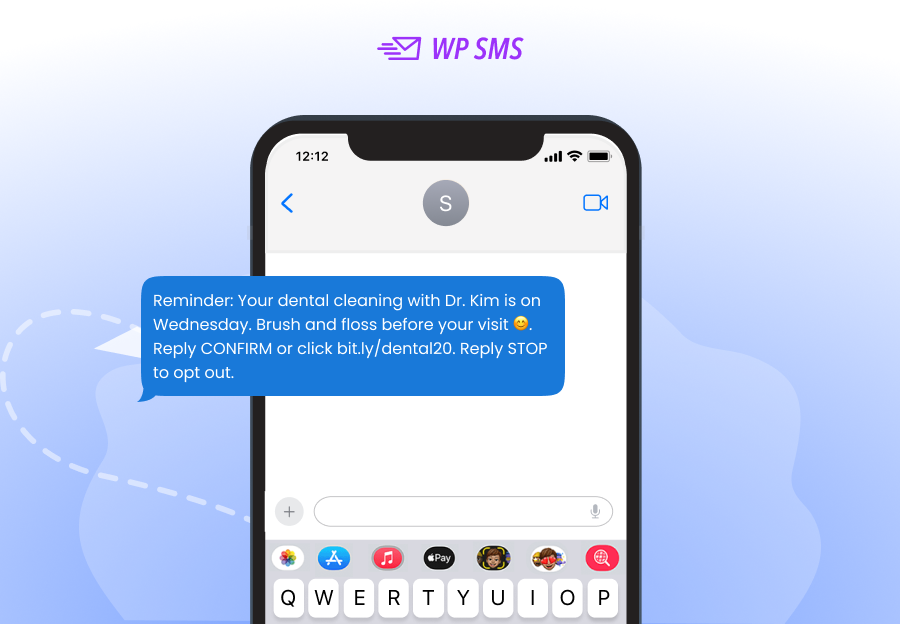
4. Dental Appointment SMS Template
Dental clinics can benefit from SMS marketing. For example, to improve attendance for routine visits, you can use an SMS template like the one below:
Message
5. Hospital Appointment Message Sample
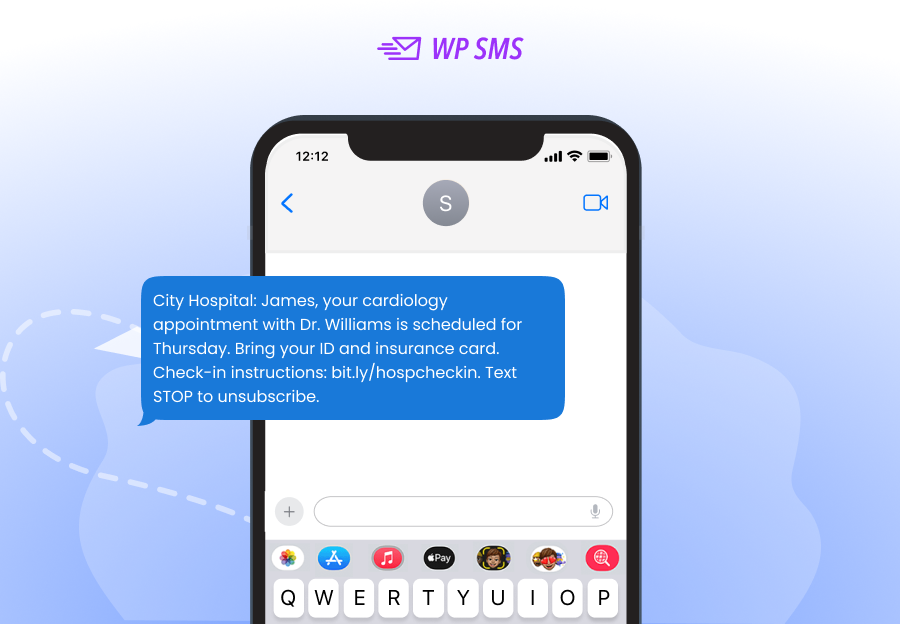
Hospitals have thousands of patients each day, and if they don’t use an exact appointment system and an effective communication method, they can’t handle their tasks properly.
SMS can help them reduce no-shows and inform patients of required documents or instructions.
For example, the following appointment reminder SMS template helps patients learn about some required details:
Message
6. Text Message for Missed Appointments
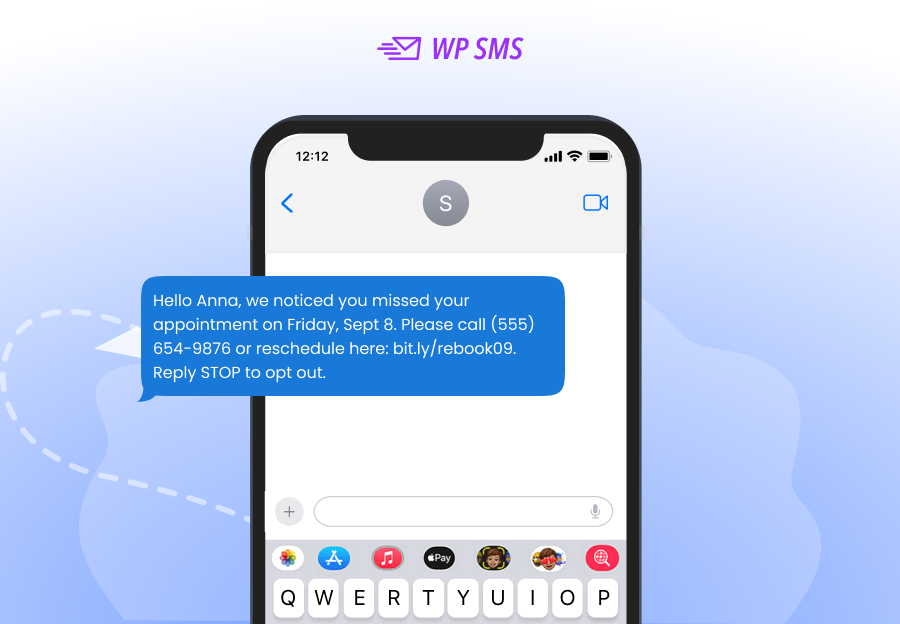
Even if you send timely SMS reminders, some parties might miss their appointments. You should not quit communicating with these patients. Try to send a text message to encourage them to rebook quickly.
This will reduce lost revenue from no-shows and improve the loyalty of your patients to your healthcare center.
Here is an SMS sample in this regard:
Message
7. Waitlist Notifications Text Message
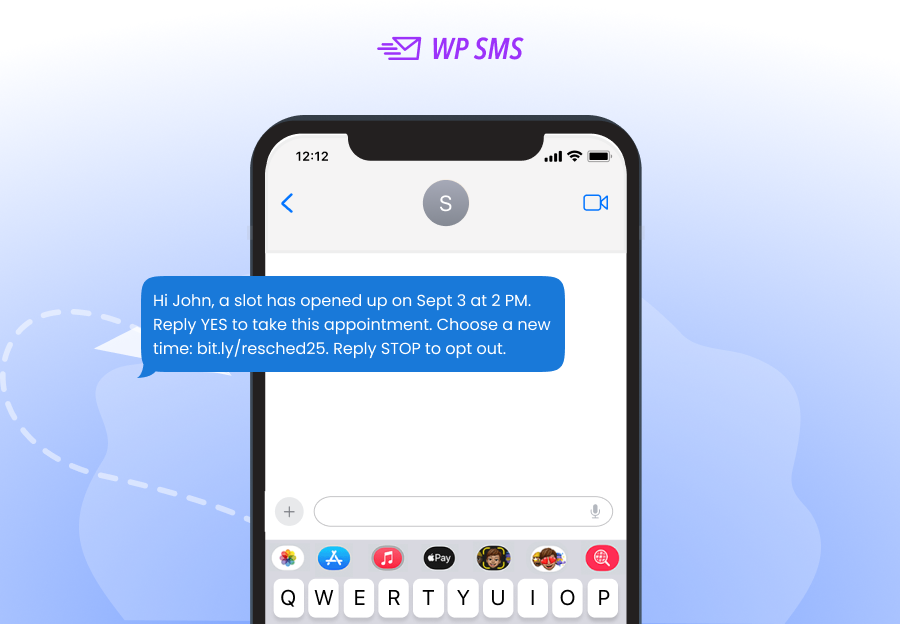
Many times, your patients must wait for a visit slot because healthcare centres are busy. You can create a waitlist and send a notification SMS to remind them of a chance to book an appointment.
The following SMS sample shows how to do that:
Message
8. Post-Visit Care Instruction Reminder
SMS is also great for sending informative texts like post-visit care instructions. It’s good to remind patients of important instructions they have to know after a visit or a surgery.
This is really impactful in patient satisfaction and improving your brand reputation. Here is an example:
Message

9. Payment Reminder
Many healthcare centers, like laboratories, get the money beforehand, and SMS is the best channel for reminding patients of their late payment.
For example, if a patient has booked an appointment online and has forgotten to pay and finalize it, you can send a reminder SMS like this:
Message

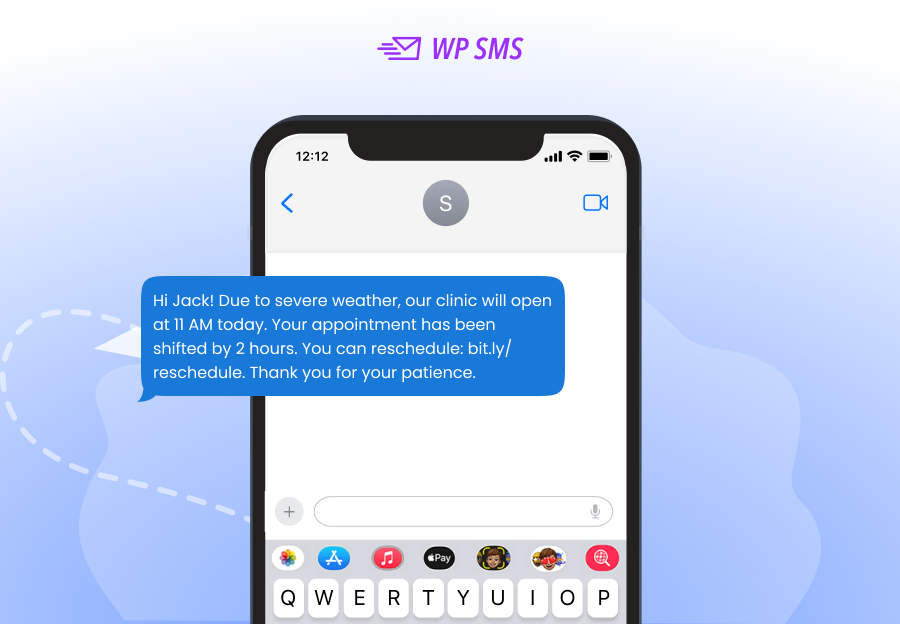
10. Clinic Closure/Delay Notices
It’s not always the patients who forget about appointments. Sometimes, your clinic might face an emergency situation that requires you to close or delay patient visits.
Here is an appointment delay SMS sample to update your patients:
Message
The Best SMS Tools for Automating Appointment Reminders
Take a look at the following table to get familiar with some of the best SMS tools for appointment reminders:
| Platform | Features | Pros | Cons | Pricing |
| WP SMS | WP integration, plugins | Easy for WP users | WP-only | $59/year + SMS costs |
| SimpleTexting | Campaigns, surveys | User-friendly, good analytics | Few integrations | Tiered plans |
| HubSpot SMS | CRM + automation | Full marketing power | Expensive | Subscription |
| Twilio Studio | Visual workflows | Highly flexible | Steep learning curve | Pay-as-you-go |
You must choose one of them based on your requirements, marketing budget, and current systems.
For example, if you have a WordPress website for online appointment booking, you’d better go for an SMS plugin like WP SMS.
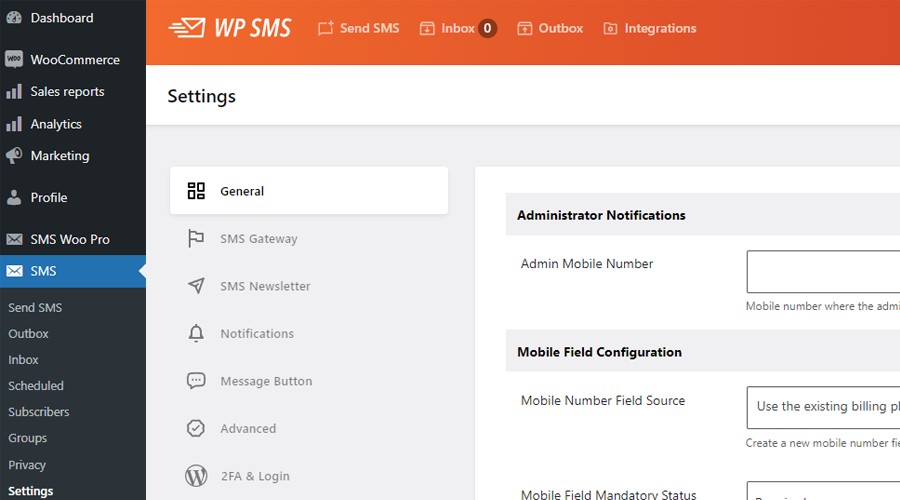
It has a wide variety of features with diverse pricing packages that are suitable for businesses of all sizes and types, especially healthcare centers.
WP SMS offers a great dynamic content feature that helps you create appointment SMS templates for various triggers.
This means you can customize texts with personal details of patients, like names, appointment dates, and doctor details. Wanna try its capabilities? You’d better first go for the demo version of WP SMS.
Expert Tips for Healthcare SMS Reminders
Apart from a compelling SMS template and a good automation strategy, you must consider some tips to reach the best results.
Here are appointment reminder best practices for doctors:
- Personalize your texts: Use the patient’s name and the doctor’s name.
- Keep it short and clear: Patients should know the who, when, and where.
- Offer easy confirmation: Allow patients to reply “YES” or “NO.”
- Option for instant confirmation: Include a direct option for patients to confirm instantly via SMS.
- Send multiple reminders: A week before, a day before, and an hour before the appointment.
- Provide clear instructions: Remind patients to arrive 10 minutes early and bring necessary documents (e.g., ID or insurance card).
- Send HIPAA-compliant SMS reminders: Avoid sharing sensitive medical details in your text messages for patient reminders.
- Automate follow-ups: Send an automated SMS for patient follow-up to check on recovery or treatment adherence.
Conclusion
Managing appointments and communications in healthcare centers might be difficult. If you use traditional methods, you can’t provide efficient services to your patients.
SMS automation tools like WP SMS help you use pre-made SMS templates to save time, avoid mistakes, and send text messages.
Using it, you can send SMS reminders, confirmations, appointment rescheduling, and even health instructions.
So, with a strong SMS strategy and some doctor appointment SMS samples, you can run transactional and promotional SMS campaigns without manual intervention.
FAQs
How do you write a reminder text for an appointment?
You need to keep it short, clear, and polite. Try to mention the patient’s name, doctor’s name, date, time, and location to personalize the text message. Provide a way to confirm or reschedule the appointment.
How do I politely remind someone of an appointment?
Use a friendly but professional tone. Here is a good appointment SMS sample: “Just a quick reminder about your appointment tomorrow at [Time]. Please let us know if you need to reschedule.”
How to remind a patient of appointments?
The best way is to use an SMS automation tool like WP SMS. Try to schedule a message a few days before the appointment and another one 24 hours prior.