

Learn how to set up SMS messaging for multi-vendor marketplaces.
Online shops require an instant and direct communication channel to keep customers engaged and provide effective support.
This is particularly important for online marketplaces that offer services to multiple vendors. Managing communications with both customers and vendors at a bulk scale is only possible with an advanced automated SMS platform.
In this blog post, we’ll explain how you can connect your multi-vendor WordPress marketplace to SMS providers and automate your communications.
Why Is SMS Essential for Multi-vendor Marketplaces?
You might wonder why you need SMS for a multi-vendor marketplace, while there are other communication channels like social media, built-in chat features, and email.
Here are the benefits of using SMS notifications in multi-vendor WordPress marketplaces:
- Higher engagement: SMS has better open rates than email and other channels. This is essential for important alerts and updates.
- Faster vendor response: SMS is the fastest communication channel for real-time alerts. This helps vendors confirm orders, restock products, and reply to customers instantly.
- Better customer experience: When customers receive immediate updates, like order confirmations and delivery status, you can expect higher satisfaction rates.
- Fewer complaints: SMS automation is an affordable way to provide customer support without having to use manual emails or phone calls.
- Personalization: SMS tools offer simple customization solutions that let you contact everyone with their own details, including first name, purchasing history, dates, etc.
- Security: SMS is a great means of sending 2FA and making sure that the accounts of customers and vendors are safe.
Best Tools for SMS Messaging for Multi-vendor Marketplaces
To have an efficient communication setup for your multi-vendor website, you need some prerequisites, including:
- SMS gateway
- WordPress messaging plugin
- Multi-vendor plugins and add-ons
- SMS workflow automation tools
SMS Gateway
An SMS gateway is a piece of software that connects your online shop to mobile carriers. An SMS gateway provider gives you an Application Programming Interface (API) to enable messaging on your system.
To choose the right SMS gateway, you have to consider several factors, including its coverage, pricing, and features.
If you want to run an international multi-vendor marketplace, you need an SMS gateway with international services.
Otherwise, you can go with a local SMS gateway.
- Twilio
- Sinch
- Infobip
- Vonage
- Plivo
WordPress SMS Plugins
Implementing an SMS API on your website is a time-consuming task and requires technical expertise. Fortunately, SMS plugins have solved this issue. They act as a bridge between your website and the SMS gateway.
This way, you just need to install a plugin and configure the SMS gateway on it using the credentials the provider gives to you. Even non-technical website owners can do that without difficulty.
Take a look at the following table to get familiar with some of the best SMS plugins:
| Plugin Name | Key Features | Marketplace Compatibility | Pricing |
| WP SMS | 350+ SMS gateways, automation, bulk messaging | WooCommerce, Dokan, WC Vendors | Free plan, paid plan starting from $39 |
| Twilio SMS Notifications | Twilio API integration, real-time notifications | WooCommerce, multi-vendor plugins | Starts at $0.0075 per SMS via Twilio |
| SMS Alert | Native WooCommerce integration, vendor-specific notifications, order alerts | Dokan, WC Vendors, WCFM | Paid plans start at $9/month |
| YITH WooCommerce SMS Notifications | Supports customer and vendor alerts, scheduled notifications | WooCommerce multi-vendor add-ons | From $79/year |
You must choose a plugin that supports your SMS gateway and offers the features and integrations you need for your multi-vendor marketplace.
That’s why we recommend WP SMS, as it supports hundreds of SMS gateways and integrates well with all the add-ons and plugins you need for running an automated marketplace.
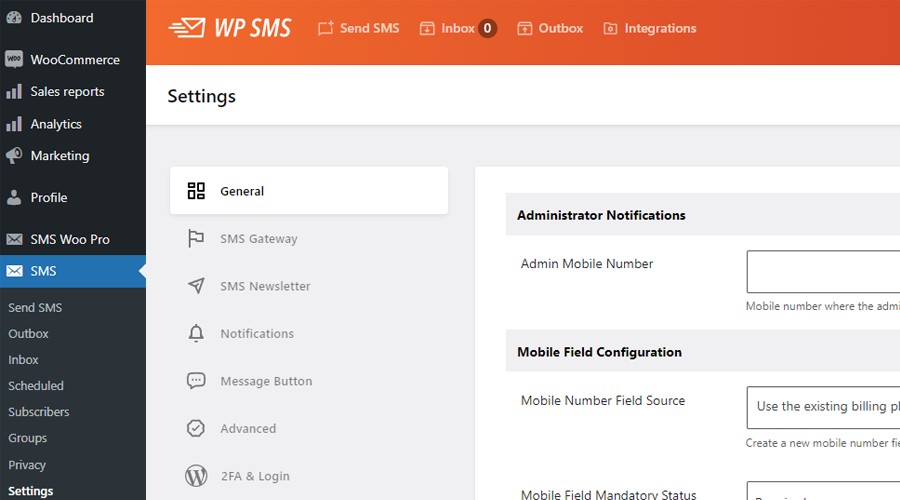
WP SMS has lots of features in its free plan and offers affordable pricing packages for advanced tools and add-ons. You can check its capabilities using the demo version and then your required plan.
Multi‑vendor Marketplace Plugins & Add‑ons
You need other tools for running your multi-vendor marketplace and integrating its features with your messaging tool.
Here are some useful plugins that are compatible with WP SMS and give you great capabilities to run your business:
| Plugin | Key Features | SMS Integration | Pricing |
| Dokan | Vendor dashboards, commissions | Supports WP SMS, Twilio, etc. | Free core; Pro from ~$149/year |
| WC Vendors | Vendor product permissions, payouts | Works with SMS plugins above | Free & Pro ~$199/year |
| WCFM Marketplace | Advanced vendor features, custom notifications | Compatible with SMS solutions | Free & Pro ~$49/year |
Automation Tools & Add‑ons for SMS workflows
Finally, you have to think of a systematic workflow to maximize the efficiency of your business communication.
Look at the following add-ons and integrations that help you automate your messaging workflow and provide instant support to your customers:
- Zapier: Connect WooCommerce/Vendor events to SMS gateway triggers without coding.
- WooCommerce Webhooks: Use built-in event hooks in WooCommerce to fire SMS via your plugin/gateway configuration.
- Fluent CRM: WP SMS can connect with Fluent CRM to send SMS for events like new subscribers and form submissions.
Automate Notifications on Multi-vendor Website: Step-by-Step Guide
Now, it’s time to set up your SMS notification system for your marketplace:
Step 1: Buy a Package from an SMS Gateway
You have to create an account on your chosen SMS gateway and buy a messaging package according to your requirements. Also, you have to obtain details and credentials of the API to use in your SMS platform.
Step 2: Install & Configure WP SMS
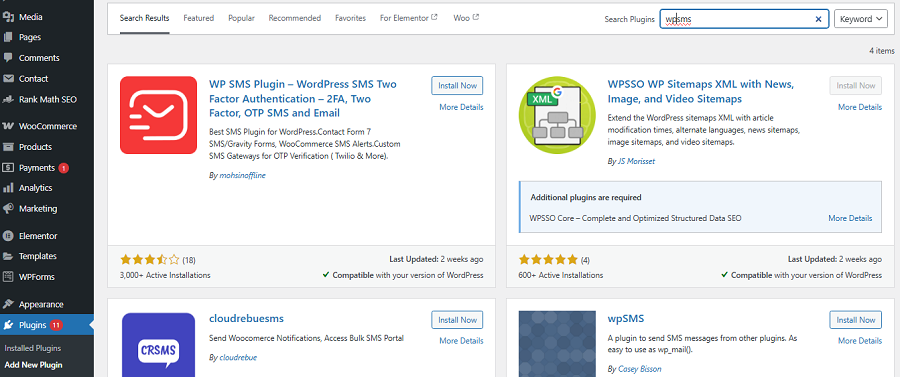
Go to your WordPress dashboard, click Plugins, and then choose Add Plugin. Now, write “WP SMS” in the search bar and find the plugin. Click “Install” and after the installation process, tap “Activate.”
Get back to your WordPress dashboard and in the sidebar, click “Settings” under the SMS menu.
Now, you can select the SMS gateway and enter its credentials. Remember to check everything after the configuration to make sure that the plugin and SMS gateway are active. Also, you can add other plugins and add-ons that you need in your SMS strategy.
Step 3: Get Consent for Promotional Messages
You need to have permission from vendors and customers before sending promotional messages. So, if you want to use their phone numbers for your campaigns, you have to get explicit written consent from them.
Remember that this is mandatory according to data protection regulations like GDPR and TCPA.
You can get their consent using various methods, like:
- Forms on your home page
- Ticks on checkout pages
- QR codes
- Paper sign-up sheets in your store
Try to be transparent at the opt-in stage to gain the trust of your audience. Tell customers exactly why you’re getting their phone numbers.
Step 4: Segment Your Subscribers
It’s good to segment your subscribers so that you can send more relevant messages.
You can categorize your contacts by important factors, like location, purchase history, or engagement level.
This helps you run targeted SMS campaigns and reach out to vendors and customers when needed.
Step 5: Activate Triggers for Automation
You have to define triggers to send automated SMS notifications to vendors and customers. Here are some examples:
- A new order: Your SMS tool sends a thank-you text.
- Order status change: The SMS tool sends an order status update.
- Payment confirmation: The SMS platform sends a payment confirmation message.
For each trigger, you have to create an SMS template. WP SMS offers a dynamic content feature to customize each SMS according to the recipient’s details.
It allows you to use items like %first_name%, %date%, and %ID% so that the recipient feels you’ve written the message specifically for them.
Examples of Multi-Vendor Marketplace SMS Messaging
Here are some text samples to see how automated SMS messaging on multi-vendor marketplaces works:
Order & Fulfillment Messages
Imagine that a customer purchases something from a vendor on your multi-vendor WordPress website.
Here are some messages that the system will send to them automatically:
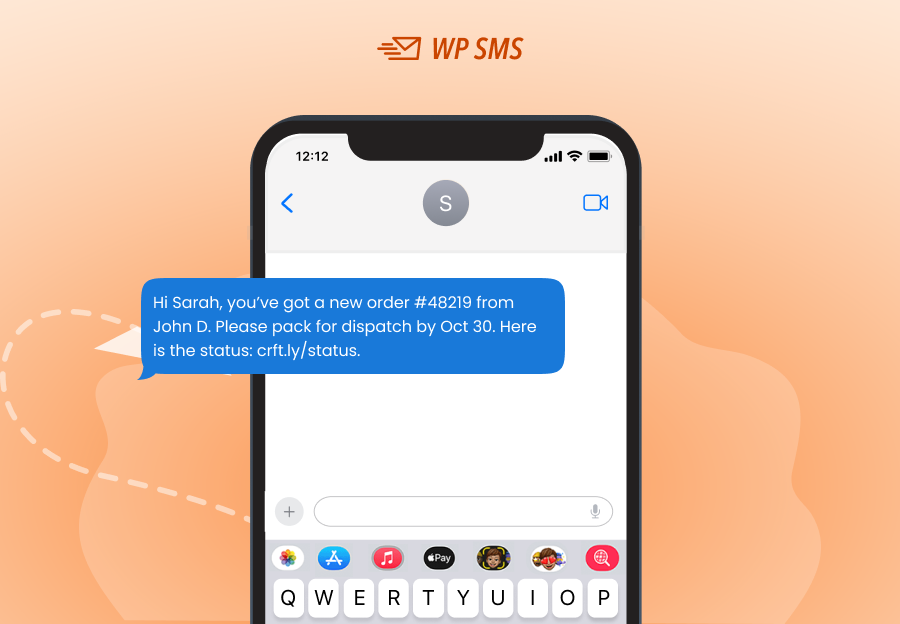
1. New Order
The vendor receives a new order notification from the SMS plugin:
Message
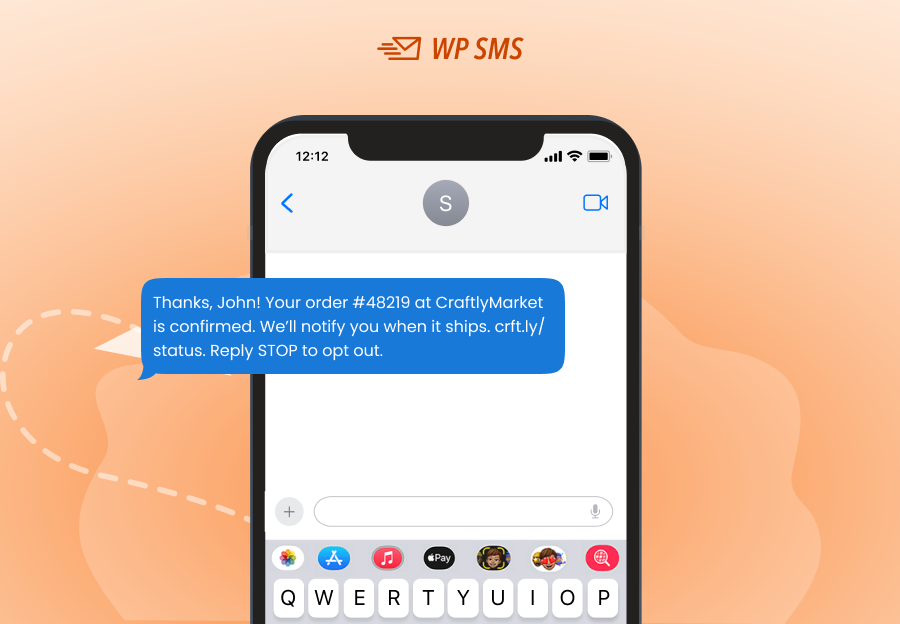
2. Order Confirmation
At the same time, the customer receives an order confirmation like this:
Message
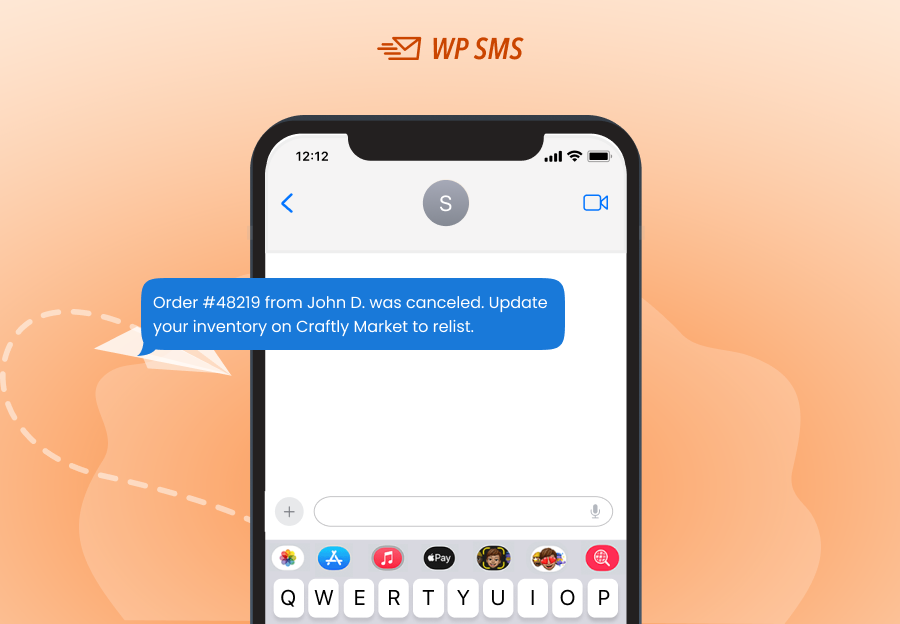
3. Order Canceled
The customer might cancel the order before it is shipped. In this case, the SMS plugin will immediately send an automated SMS to the vendor:
Message
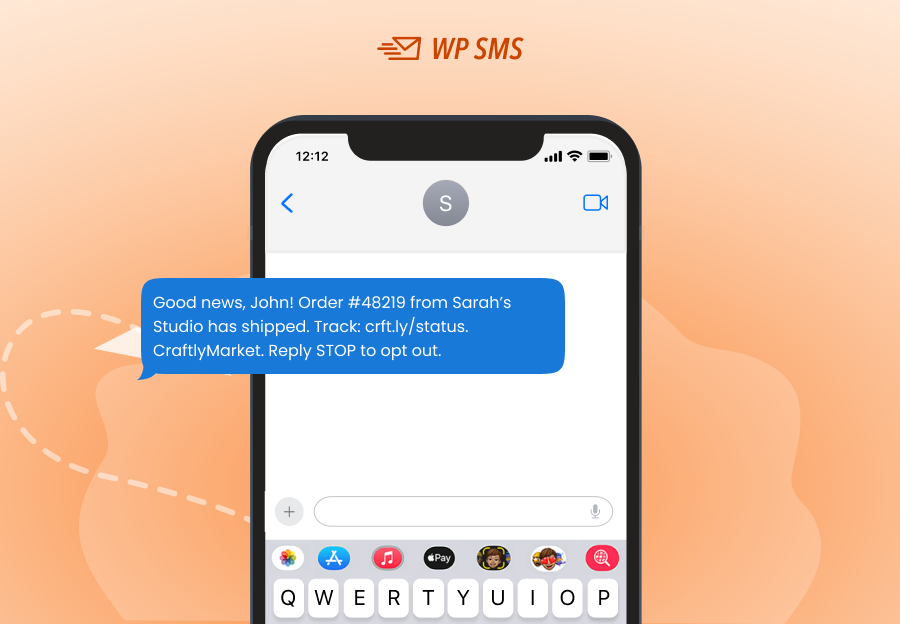
4. Order Status
If the order is shipped, the system will send an update to the customer to let them know the vendor is working on their order:
Message
Payout & Payment Updates
One of the most important notifications you have to send to both customers and vendors is payment updates.
Here are some samples:
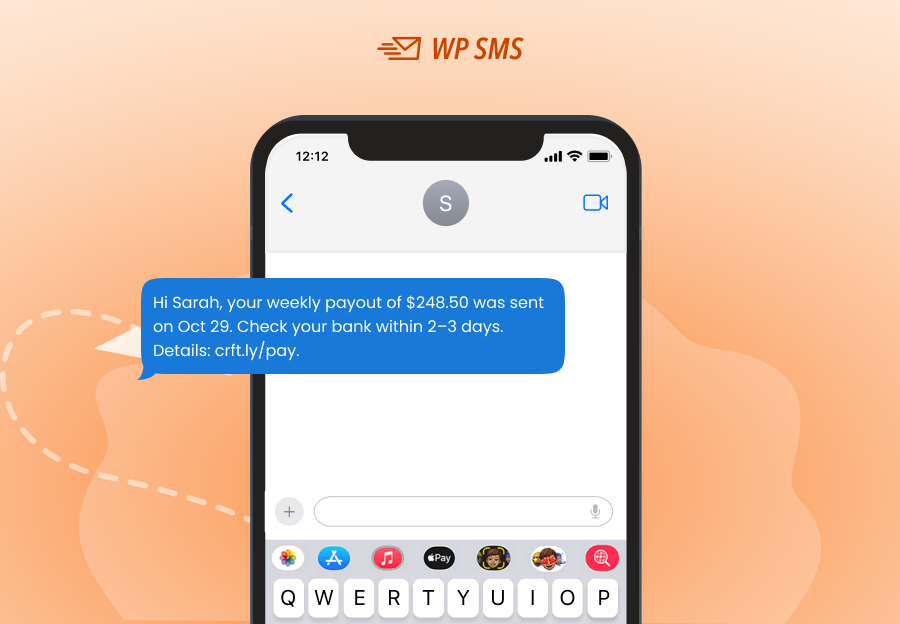
1. Payout Processed
When your marketplace pays the vendors’ income, it’s good to send them an SMS notification:
Message
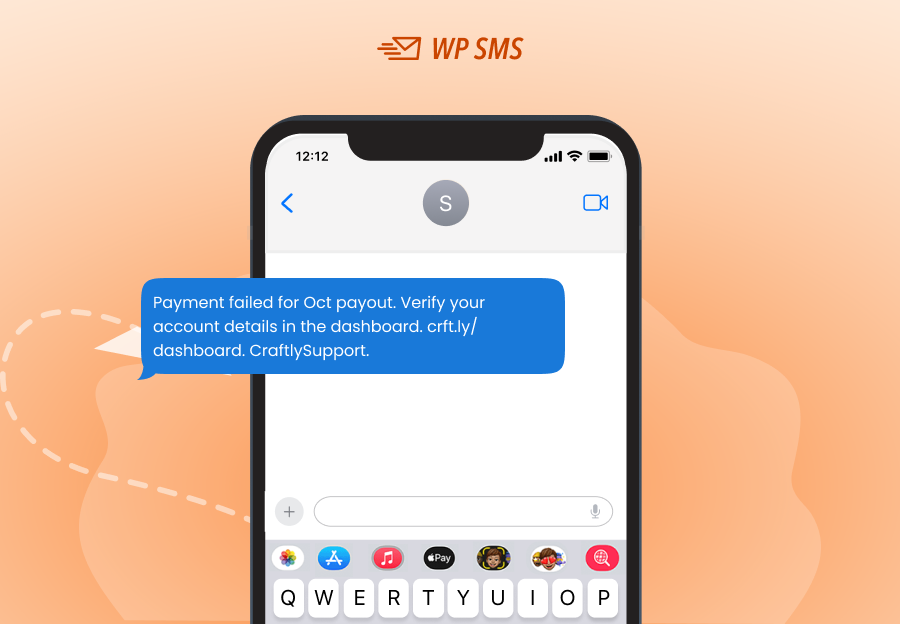
2. Payment Issue
Sometimes the payment fails, and it’s essential to remind the vendor of the issue:
Message
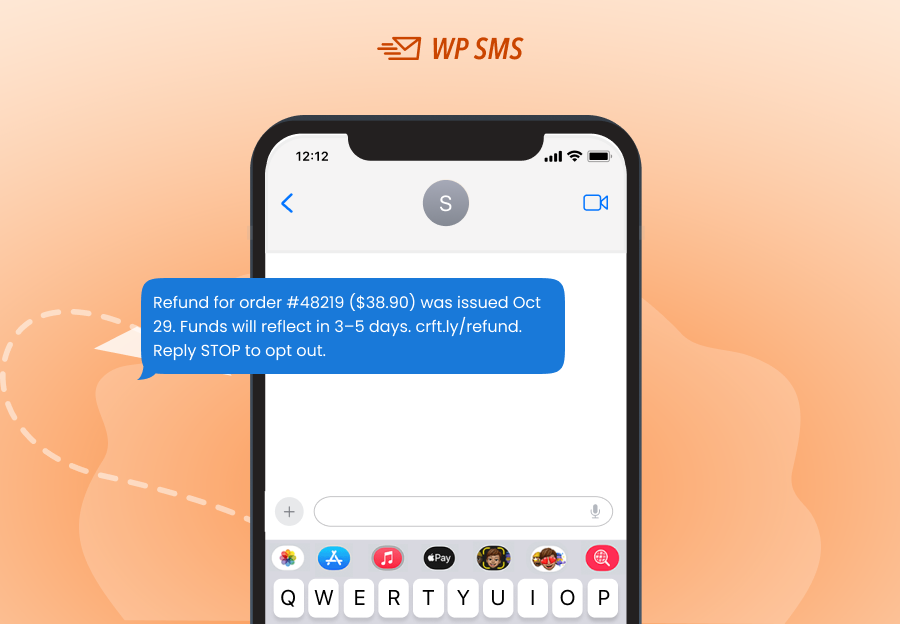
3. Refund Processed
When a customer cancels an order, you have to refund their money. It’s good to send a confirmation using SMS to let them know:
Message
Promotions & Engagement
Promotional messages are as important as transactional texts. Using WP SMS, you can schedule promotional messages like:
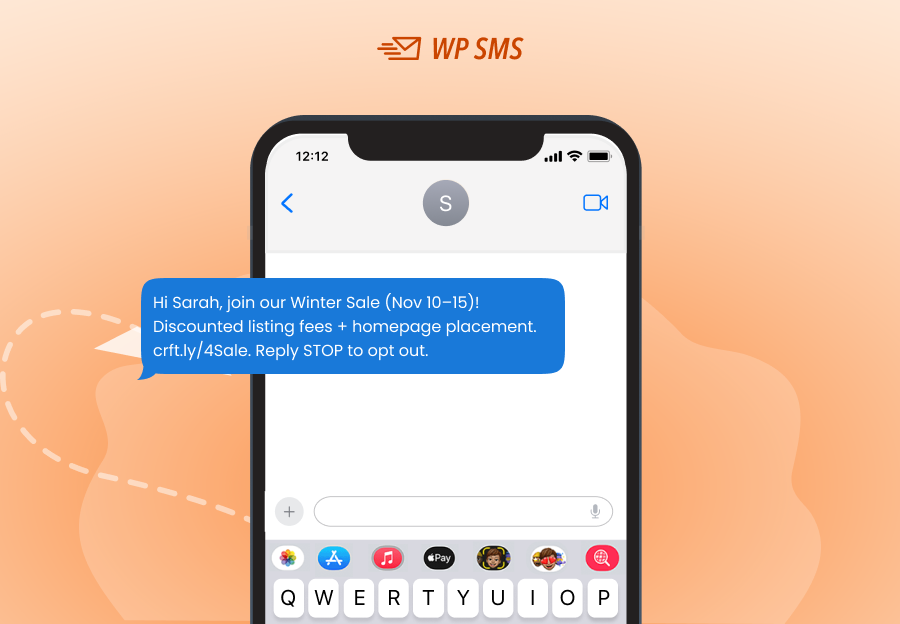
1. Seasonal Sale Invite
You can let vendors know your seasonal events and invite them to take part using an SMS:
Message
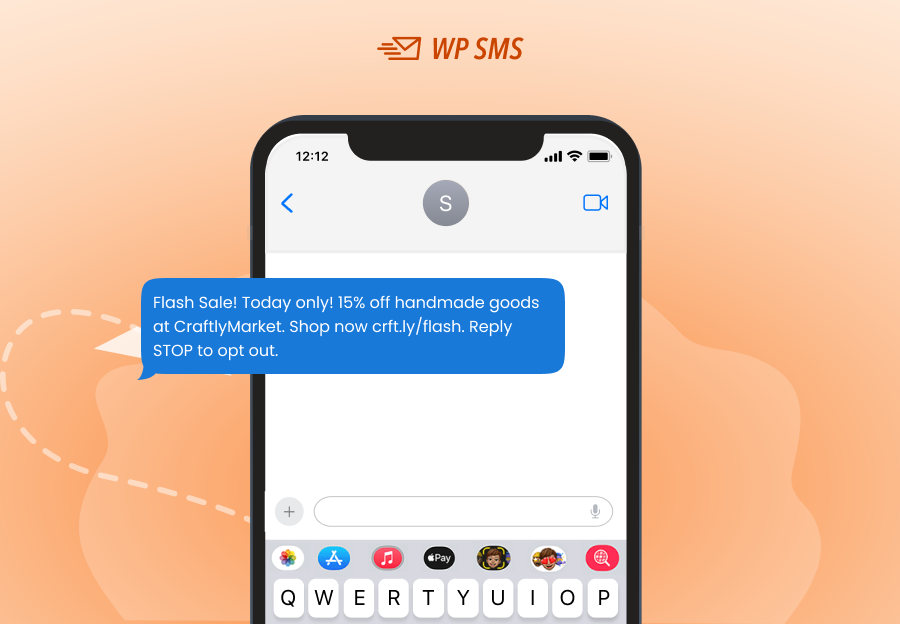
2. Flash Sale
Flash sales are effective selling techniques that significantly increase the revenue of marketplaces.
You can send promotional messages to inform customers of a limited campaign and entice them using a perk like a discount:
Message
Security & Verification
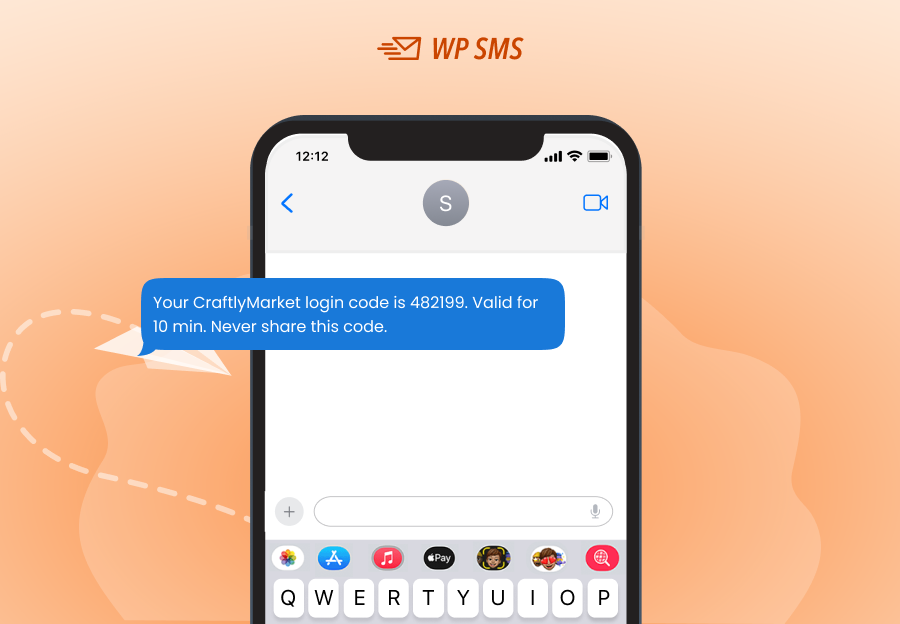
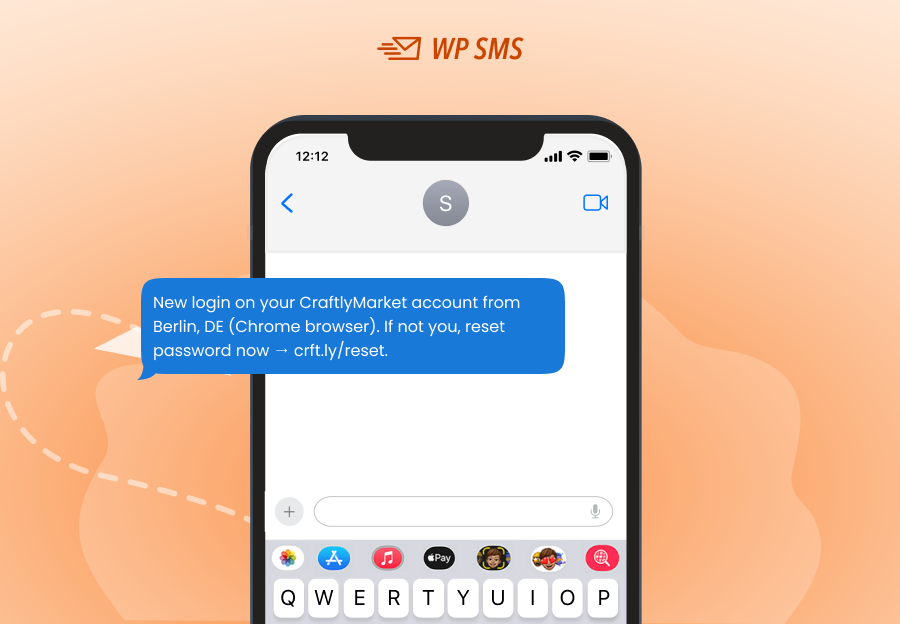
Last but not least, you can use SMS to send OTP messages to notify vendors and customers of any login to their accounts:
1. Two-factor code
Here is a sample 2FA message to a customer/vendor:
Message
2. Login alert
Alert them of logins to increase the security of their accounts:
Message
Final Thoughts
Running a multi-vendor marketplace on WordPress is a lucrative business, but it requires good management, especially when it comes to communication.
You need an efficient system of messaging to inform both sellers and buyers of the latest updates. Without an automated SMS notification platform, users can’t be sure about the process, and this will increase complaints to the call center.
Thanks to plugins like WP SMS and its integrations with WooCommerce, CRM, and Zapier, you can easily automate the notifications.
You can first try its demo version and then choose a plan for your multi-vendor WordPress marketplace. You can also count on our help if you have any questions about installing and configuring the plugin.
FAQs
How to integrate the SMS API in WordPress WooCommerce?
You can integrate an SMS API into WooCommerce using plugins like WP SMS. This way. You don’t need programming knowledge to configure the API on your website.
What are SMS marketing alerts?
SMS market alerts are notifications you send to buyers or vendors on your online shop to inform them of new updates.
What is the best SMS plugin for WooCommerce?
WP SMS is the best SMS plugin for WooCommerce stores. It offers numerous features and integrations and supports 350+ SMS gateways around the world.